Scheduler settings
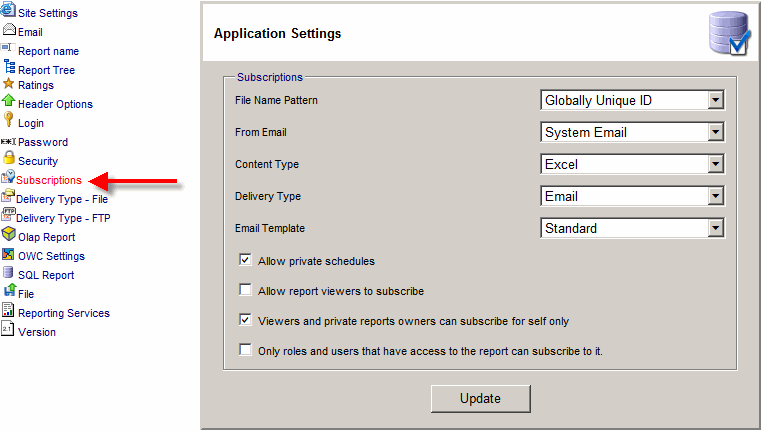
- File Name Pattern - provides the file naming convention.
Globally Unique ID provides the best security if you use FTP or the File Delivery types.
- Content Type - default file format to be delivered to the subscriber.
The following types are supported: HTML, PDF, and Excel.
- Delivery Type - default delivery type for the report to be delivered.
The following types are supported: Attachment, File, FTP and Link URL
- Email Template - default Email Template to be used
- Allow private schedules - Allows a "Private Schedule" for a subscription.
Otherwise a shared schedule will need to be used.
- Allow report viewers to subscribe - A subscription can be created by a user
that is allowed to edit the report.
However, viewers can also be allowed to subscribe to reports.
This kind of subscription can only deliver the report to the viewer himself or herself.
- RpScheduler Service Status - show the real-time status of the windows service
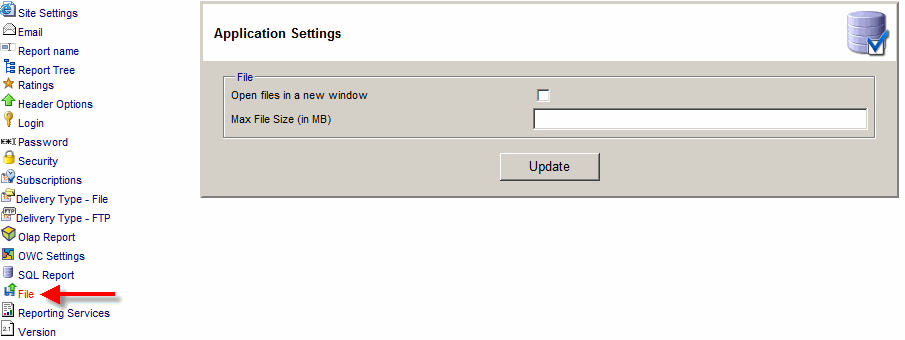
- Delivery Type - File
- Folder Path - The report is copied to a folder on a web or file server.
- Folder URL - is hyperlink to the folder. The report subscriber will
receive an email with the hyperlink to the file.
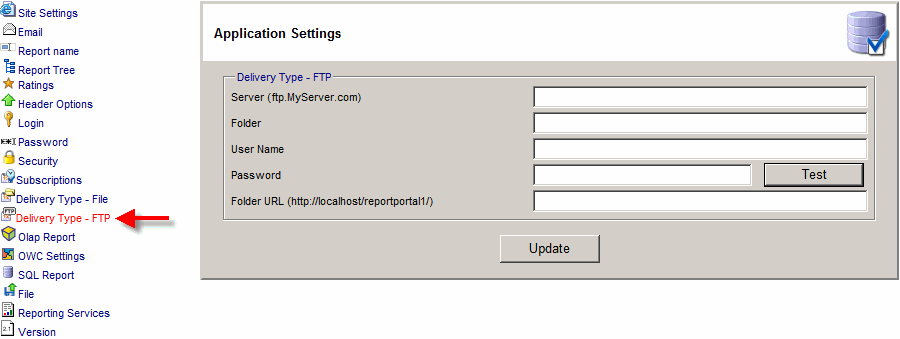
- Delivery Type - FTP
- Server - FTP Server name
- Folder - Folder on the FTP server.
- User Name - user name to login to the FTP server
- Password - password name to login to the FTP server
- Folder URL - is hyperlink to the folder. The report subscriber will
receive an email with the hyperlink to the file.