Creating a Snapshot
- Create a new report or open a saved report.
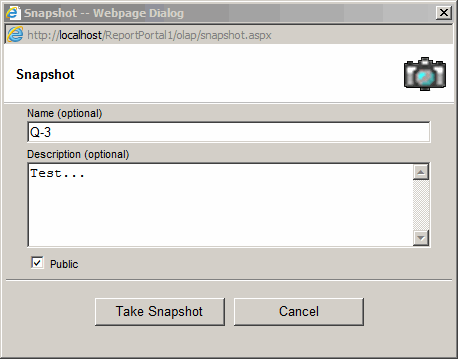
- Click the "Snapshot" toolbar button.
- Enter Snapshot name and description.
- Press the "Take Snapshot" button.
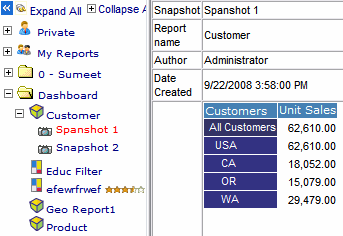
- You can view the snapshot by going to the view tab and clicking on the
plus icon next to the report icon.
- Select if the snapshot can be is "Public". This option is available when Admin > Settings >
Security > Snapshot = "Let snapshot creator choose" option is selected.