
Adding Rule-Based Named Set
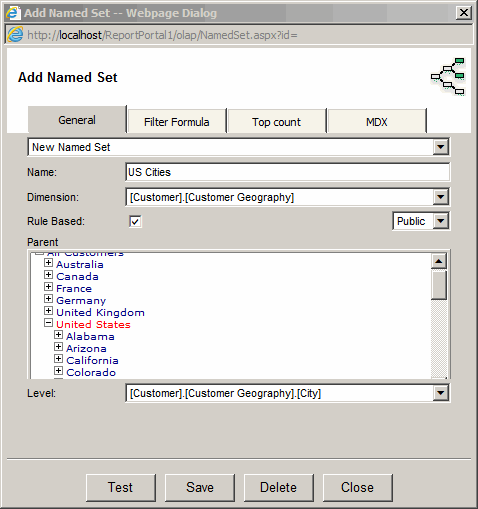
- Click the "Add Named Set" toolbar button.
- Enter name for the named set
- Select a dimension
- Check the "Rule Based" checkbox
- Select the level or all levels
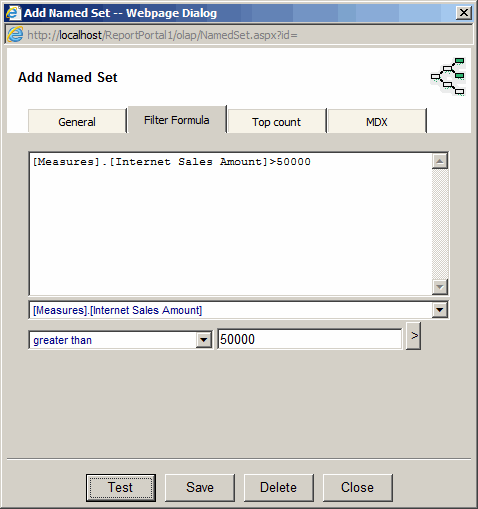
Under Filter Formula tab, Enter the Filter formula. Use the dropdown below the formula textbox to create it.
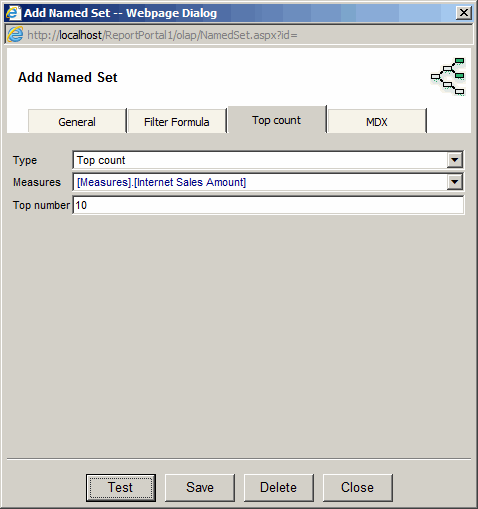
Under Filter Formula tab, select the top 10 formula, Measure and the number.
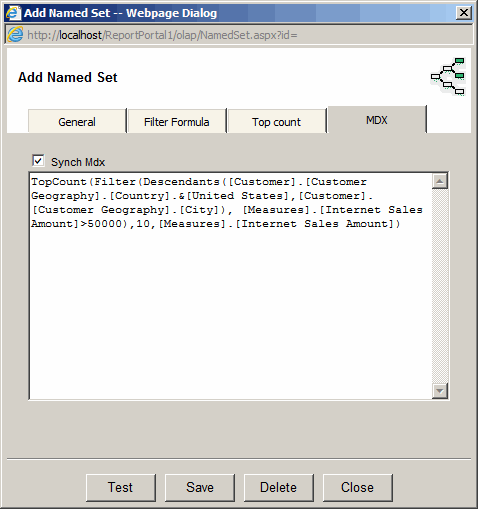
MDX tab shows the resulting MDX.
- Click the Save button
- The named set will become visible in the Field List one you expand the dimension
Adding Not Rule-Based Named Set
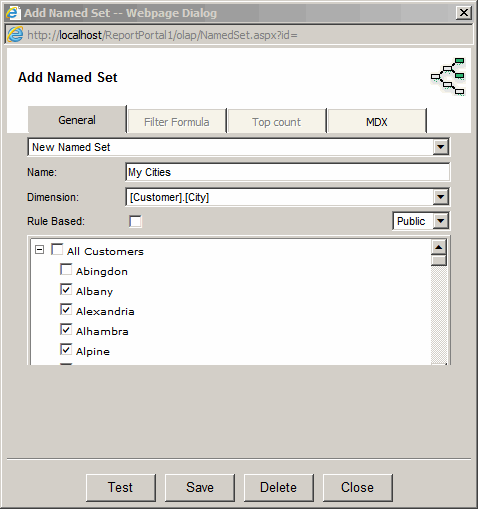
- Click the "Add Named Set" toolbar button.
- Enter name for the named set
- Select a dimension
- Uncheck the "Rule Based" checkbox
- Select members of the dimension one by one
- Click the Save button
- The named set will become visible in the Field List
one you expand the dimension
Using Named Sets
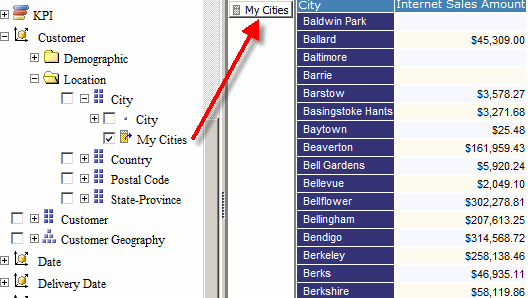
- Select a Named Set in the Field List
- Drag and drop the Named Set in Row or Columns
You can also select a named set in "Add Calculated Field".
It will be converted to a member using Aggregate MDX function.
For example, "Top 10 customers" named set will be converted to a single member that would represent all 10 customers.
