Emailing Report
- Open a saved report.
- Click the "Email Report" toolbar button.
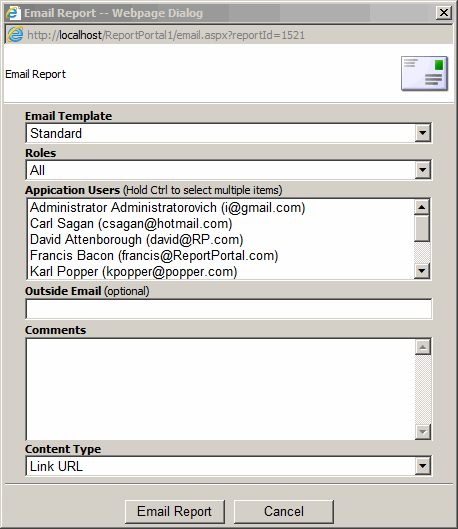
- Select Email Template.
- Select application user(s) you want to send the report to or enter the email.
- Type comments for the email recipient.
- Select Content Type. Link URL to inlcude a link to the report or HTML to include
the report HTML in email body.
- The email sent will have an email link to the report.